Every key GTA 6 control on PS5 and Xbox: running, cover, aiming, melee, driving, flying and swimming, plus the Default, Classic and Left-Handed schemes.
Jason leans out the passenger-side window of a car, automatic weapon in hand. Sparks careen off bullet holes in the car door; the back window is cracked; two blurry helicopters fly overhead.Image: Rockstar Games
GTA 6 changes one habit that GTA players have had for decades: you no longer tap a button to sprint on footReported1. GTABase — GTA 6 Controls Guide: Full PS5 & Xbox Button Layout2. RankedBoost — GTA 6 Controls: Default PS5 and Xbox Button Layout4. GameTrek — Controls Guide: Complete Button Layout for PS5 and Xbox - GTA 6 (Grand Theft Auto VI). You click the left stick to run instead, L3 on PS5 or LS on XboxReported5. Spottis — Grand Theft Auto VI - Controls. Below are the main PS5 and Xbox controls, grouped by what you're doing, plus the three control schemes you can switch between.
Quick answers
Question
PS5
Xbox
How do I run?
Click L3Reported5. Spottis — Grand Theft Auto VI - Controls
Click LSReported5. Spottis — Grand Theft Auto VI - Controls
How do I aim and shoot?
L2 / R2Reported5. Spottis — Grand Theft Auto VI - Controls
LT / RTReported5. Spottis — Grand Theft Auto VI - Controls
How do I take cover?
R1Reported5. Spottis — Grand Theft Auto VI - Controls6. Leonida Frames — GTA 6 Controls: How to Play on PS5 & Xbox (Every Button)
RBReported5. Spottis — Grand Theft Auto VI - Controls6. Leonida Frames — GTA 6 Controls: How to Play on PS5 & Xbox (Every Button)
How do I heal?
Hold L1 + SquareReported6. Leonida Frames — GTA 6 Controls: How to Play on PS5 & Xbox (Every Button)
Hold LB + XReported6. Leonida Frames — GTA 6 Controls: How to Play on PS5 & Xbox (Every Button)
How do I use Focus?
L3 + R3Reported6. Leonida Frames — GTA 6 Controls: How to Play on PS5 & Xbox (Every Button)
LS + RSReported6. Leonida Frames — GTA 6 Controls: How to Play on PS5 & Xbox (Every Button)
How do I open my loadout?
Hold L1Reported5. Spottis — Grand Theft Auto VI - Controls6. Leonida Frames — GTA 6 Controls: How to Play on PS5 & Xbox (Every Button)
Hold LBReported5. Spottis — Grand Theft Auto VI - Controls6. Leonida Frames — GTA 6 Controls: How to Play on PS5 & Xbox (Every Button)
Control schemes: Default, Classic and Left-Handed
GTA 6 has three control schemes. You can switch between them and preview each one in Settings, under Control SchemeReported1. GTABase — GTA 6 Controls Guide: Full PS5 & Xbox Button Layout5. Spottis — Grand Theft Auto VI - Controls. The preview is split into nine categories, such as On Foot, Aiming, Melee and AircraftReported5. Spottis — Grand Theft Auto VI - Controls.
Default: the layout used on this pageReported1. GTABase — GTA 6 Controls Guide: Full PS5 & Xbox Button Layout.
Classic: swaps the Run and Crouch buttonsReported1. GTABase — GTA 6 Controls Guide: Full PS5 & Xbox Button Layout. Try it if your thumb keeps reaching for the old layout.
Left-Handed: an option for left-handed playersReported1. GTABase — GTA 6 Controls Guide: Full PS5 & Xbox Button Layout.
On foot
Action
PS5
Xbox
Run
Click L3Reported5. Spottis — Grand Theft Auto VI - Controls
Click LSReported5. Spottis — Grand Theft Auto VI - Controls
Jump / climb
CrossReported2. RankedBoost — GTA 6 Controls: Default PS5 and Xbox Button Layout5. Spottis — Grand Theft Auto VI - Controls
AReported2. RankedBoost — GTA 6 Controls: Default PS5 and Xbox Button Layout5. Spottis — Grand Theft Auto VI - Controls
Crouch / stealth
CircleReported5. Spottis — Grand Theft Auto VI - Controls6. Leonida Frames — GTA 6 Controls: How to Play on PS5 & Xbox (Every Button)
BReported5. Spottis — Grand Theft Auto VI - Controls6. Leonida Frames — GTA 6 Controls: How to Play on PS5 & Xbox (Every Button)
Take cover
R1Reported5. Spottis — Grand Theft Auto VI - Controls6. Leonida Frames — GTA 6 Controls: How to Play on PS5 & Xbox (Every Button)
RBReported5. Spottis — Grand Theft Auto VI - Controls6. Leonida Frames — GTA 6 Controls: How to Play on PS5 & Xbox (Every Button)
Melee attack
SquareReported5. Spottis — Grand Theft Auto VI - Controls6. Leonida Frames — GTA 6 Controls: How to Play on PS5 & Xbox (Every Button)
XReported5. Spottis — Grand Theft Auto VI - Controls6. Leonida Frames — GTA 6 Controls: How to Play on PS5 & Xbox (Every Button)
Show HUD and objective
D-pad downReported6. Leonida Frames — GTA 6 Controls: How to Play on PS5 & Xbox (Every Button)
D-pad downReported6. Leonida Frames — GTA 6 Controls: How to Play on PS5 & Xbox (Every Button)
Circle and Triangle (B and Y on Xbox) are context buttons in GTA 6. What they do changes with the situationReported4. GameTrek — Controls Guide: Complete Button Layout for PS5 and Xbox - GTA 6 (Grand Theft Auto VI), and Jason and Lucia sometimes get different options from the same buttonReported4. GameTrek — Controls Guide: Complete Button Layout for PS5 and Xbox - GTA 6 (Grand Theft Auto VI). Next to a locked car, for example, Triangle lets Jason slim jim the lock and Circle smashes the windowReported4. GameTrek — Controls Guide: Complete Button Layout for PS5 and Xbox - GTA 6 (Grand Theft Auto VI). Our guide to keeping stolen cars covers what to do next.
Focus slows time, highlights items and tracks noisesReported1. GTABase — GTA 6 Controls Guide: Full PS5 & Xbox Button Layout. You can switch between Jason and Lucia by holding a button combinationReported1. GTABase — GTA 6 Controls Guide: Full PS5 & Xbox Button Layout; our character switching guide explains when you can do it.
Aiming and shooting
Action
PS5
Xbox
Aim
Hold L2Reported2. RankedBoost — GTA 6 Controls: Default PS5 and Xbox Button Layout4. GameTrek — Controls Guide: Complete Button Layout for PS5 and Xbox - GTA 6 (Grand Theft Auto VI)
Hold LTReported2. RankedBoost — GTA 6 Controls: Default PS5 and Xbox Button Layout4. GameTrek — Controls Guide: Complete Button Layout for PS5 and Xbox - GTA 6 (Grand Theft Auto VI)
Shoot
R2Reported5. Spottis — Grand Theft Auto VI - Controls
RTReported5. Spottis — Grand Theft Auto VI - Controls
Quick swap weapon
TriangleReported5. Spottis — Grand Theft Auto VI - Controls
YReported5. Spottis — Grand Theft Auto VI - Controls
Switch shoulder
D-pad leftReported5. Spottis — Grand Theft Auto VI - Controls
D-pad leftReported5. Spottis — Grand Theft Auto VI - Controls
Scope zoom in / out
D-pad up / downReported5. Spottis — Grand Theft Auto VI - Controls
D-pad up / downReported5. Spottis — Grand Theft Auto VI - Controls
Zoom or throw path
R3Reported5. Spottis — Grand Theft Auto VI - Controls
RSReported5. Spottis — Grand Theft Auto VI - Controls
The other combat buttons still work while you're aimingReported2. RankedBoost — GTA 6 Controls: Default PS5 and Xbox Button Layout4. GameTrek — Controls Guide: Complete Button Layout for PS5 and Xbox - GTA 6 (Grand Theft Auto VI). Quick throw tosses the last explosive you equippedReported1. GTABase — GTA 6 Controls Guide: Full PS5 & Xbox Button Layout. You can carry two rifles and two pistols on you, and the rest go in your vehicle's trunkReported4. GameTrek — Controls Guide: Complete Button Layout for PS5 and Xbox - GTA 6 (Grand Theft Auto VI). Our combat guide explains free aim and recoil.
Melee
Action
PS5
Xbox
Lock on / strafe
Hold L2Reported5. Spottis — Grand Theft Auto VI - Controls
Hold LTReported5. Spottis — Grand Theft Auto VI - Controls
Attack
SquareReported5. Spottis — Grand Theft Auto VI - Controls6. Leonida Frames — GTA 6 Controls: How to Play on PS5 & Xbox (Every Button)
XReported5. Spottis — Grand Theft Auto VI - Controls6. Leonida Frames — GTA 6 Controls: How to Play on PS5 & Xbox (Every Button)
Driving cars, bikes and boats
Cars and boats share the same layoutReported2. RankedBoost — GTA 6 Controls: Default PS5 and Xbox Button Layout.
Action
PS5
Xbox
Accelerate
R2Reported5. Spottis — Grand Theft Auto VI - Controls
RTReported5. Spottis — Grand Theft Auto VI - Controls
Brake / reverse
L2Reported5. Spottis — Grand Theft Auto VI - Controls
LTReported5. Spottis — Grand Theft Auto VI - Controls
Handbrake
CrossReported5. Spottis — Grand Theft Auto VI - Controls
AReported5. Spottis — Grand Theft Auto VI - Controls
Headlights
CircleReported5. Spottis — Grand Theft Auto VI - Controls
BReported5. Spottis — Grand Theft Auto VI - Controls
Horn / nitrous
Click L3Reported5. Spottis — Grand Theft Auto VI - Controls
Click LSReported5. Spottis — Grand Theft Auto VI - Controls
Use the handbrake while turning at speed to drift or pull a U-turnReported1. GTABase — GTA 6 Controls Guide: Full PS5 & Xbox Button Layout. There's also a Duck action that hides you from the cops while you're in a vehicleReported1. GTABase — GTA 6 Controls Guide: Full PS5 & Xbox Button Layout, which helps when you're trying to lose a wanted level. On PS5, the DualSense haptics change with the road surface, weather and vehicleReported4. GameTrek — Controls Guide: Complete Button Layout for PS5 and Xbox - GTA 6 (Grand Theft Auto VI).
Bicycles
Action
PS5
Xbox
Pedal
R2Reported5. Spottis — Grand Theft Auto VI - Controls
RTReported5. Spottis — Grand Theft Auto VI - Controls
Sprint
CrossReported5. Spottis — Grand Theft Auto VI - Controls
AReported5. Spottis — Grand Theft Auto VI - Controls
Bunnyhop
CircleReported5. Spottis — Grand Theft Auto VI - Controls
BReported5. Spottis — Grand Theft Auto VI - Controls
Planes
The triggers control the throttle and the left stick controls pitch and rollReported5. Spottis — Grand Theft Auto VI - Controls. Click L3 or LS to raise and lower the landing gearReported5. Spottis — Grand Theft Auto VI - Controls. Need something to fly? See our guides to finding a helicopter early and the best early plane to unfog the map.
Swimming and parachuting
Action
PS5
Xbox
Dive
R1Reported5. Spottis — Grand Theft Auto VI - Controls
RBReported5. Spottis — Grand Theft Auto VI - Controls
Surface
CrossReported5. Spottis — Grand Theft Auto VI - Controls
AReported5. Spottis — Grand Theft Auto VI - Controls
Open parachute
CrossReported5. Spottis — Grand Theft Auto VI - Controls
AReported5. Spottis — Grand Theft Auto VI - Controls
Detach parachute
TriangleReported5. Spottis — Grand Theft Auto VI - Controls
YReported5. Spottis — Grand Theft Auto VI - Controls
Before launch, control lists were pieced together from button prompts in Rockstar's Extended Look video, which only showed PS5 iconsReported2. RankedBoost — GTA 6 Controls: Default PS5 and Xbox Button Layout. At that point melee, flying, swimming, Focus and character switching weren't knownReported2. RankedBoost — GTA 6 Controls: Default PS5 and Xbox Button Layout. The layouts above come from the in-game control scheme screensReported1. GTABase — GTA 6 Controls Guide: Full PS5 & Xbox Button Layout. A prone position seen in a 2022 leakRumor4. GameTrek — Controls Guide: Complete Button Layout for PS5 and Xbox - GTA 6 (Grand Theft Auto VI) was reportedly cut from the final gameReported4. GameTrek — Controls Guide: Complete Button Layout for PS5 and Xbox - GTA 6 (Grand Theft Auto VI). If a button doesn't match, check Settings > Control Scheme, since Classic and Left-Handed move buttons aroundReported1. GTABase — GTA 6 Controls Guide: Full PS5 & Xbox Button Layout5. Spottis — Grand Theft Auto VI - Controls. There's no verified PC keyboard and mouse layout yetReported5. Spottis — Grand Theft Auto VI - Controls.
New to the game? Our beginner's guide has the tips worth knowing in your first hours.
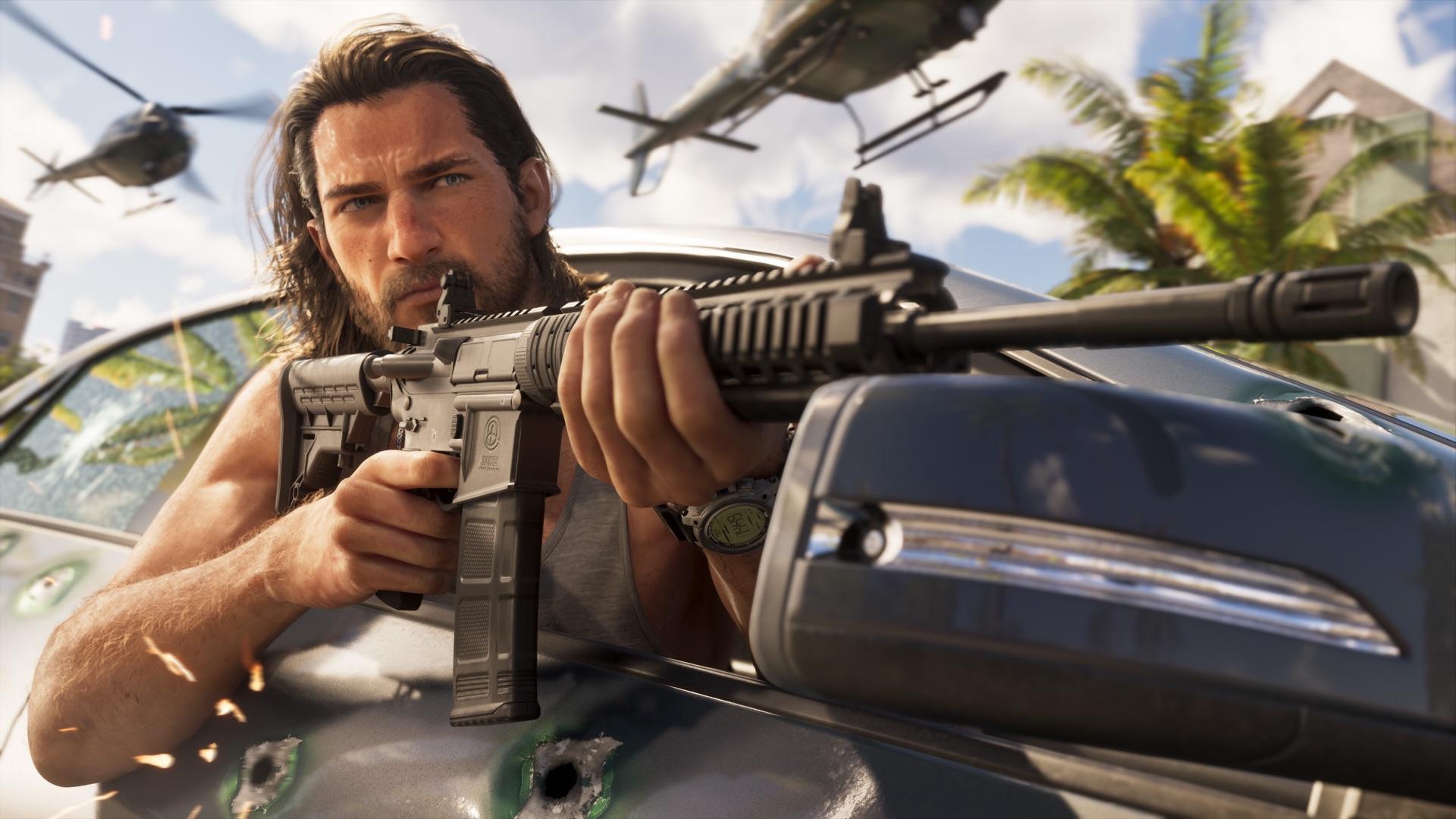
 Image: Rockstar Games
 Image: Rockstar Games
 Image: Rockstar Games
 Image: Rockstar Games
 Image: Rockstar Games
 Image: Rockstar Games